Alerts Window
The Alerts window is used to review alert messages for the XtreamService application, such as pending campaigns that have not been sent and reminders to create and send sales campaigns.

|
To access the Alerts window, click the |
 (Alerts) icon.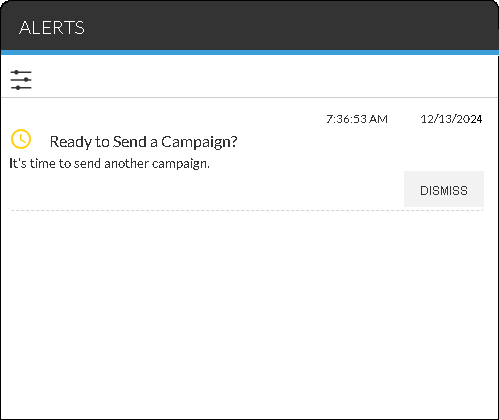
To clear an alert, click the DISMISS button for the corresponding alert message. Settings used to notify users about alert messages can be defined on the Edit Alerts window.
| Alert | Displays When |
|---|---|
| Campaign Sent | A campaign is sent. |
| Last Chance to Send Pending Campaign | A campaign has been in pending status for five days. If the campaign is not sent, it is deleted at the end of the current day. Click the title of the alert to access the Pending Campaign Details panel, where the campaign can be sent. |
| Need Help Sending a Campaign? | A campaign has not been sent in the number of days defined in the Secondary Campaign Reminder field in the Campaign Settings panel on the General Settings screen. Click the title of the alert to access the Sales Campaign screen, where a campaign can be created and sent. |
| Pending Campaign Not Sent | A campaign has been added, but it has not been sent to FOCUS or the Customer application in the Digital Retail Platform. This alert is received once per day for each campaign that has been in pending status for less than five days. Click the title of the alert to access the Pending Campaign Details panel, where the campaign can be sent. |
| Ready to Send a Campaign? | A campaign has not been sent in the number of days defined in the Campaign Reminder field in the Campaign Settings panel on the General Settings screen. Click the title of the alert to access the Sales Campaign screen, where a campaign can be created and sent. |
| Ready to Send Custom Bulk Mail for Campaign? | A client collection has been created for the campaign in FOCUS or in the Customer application and is ready for bulk mail to be selected and sent. |
Click here for a list of products that may be mentioned in this help file.